MODDYS DOWNLOADS
GRAB IT LOUD
direct builds · no stores · no accounts
‹ Back to moddys.net
Every build I ship, in one place, served straight from this site — no store, no account, no middleman. Each card says what the thing is, what it needs, and the SHA-256 of the exact file you are about to run, so you can prove it is the one I built.

ModFlow OrderFlow Analysis Suite
A desktop order-flow workstation: live footprint, cumulative delta, volume profile, depth of market, tape, heatmap, replay and 20+ more views — on the free public feeds, with no keys and no accounts. Optional lanes for MT5, NinjaTrader, Sierra Chart and Bookmap if you have them.
35.9 MB · the installer, zipped
- Download the .zip and right-click it → Extract All.
- Run ModFlowOrderFlowAnalysisSuite-Setup-0.1.0.exe. It installs for your user only — no admin prompt — and leaves a desktop shortcut.
- Windows SmartScreen will say it hasn't seen this app before, because it is not code-signed yet: More info → Run anyway.
- Open ModFlow OrderFlow Analysis Suite. Upgrades install straight over the top, and Add/Remove programs uninstalls it cleanly.
What it leaves behind: your config, database and logs live in
%APPDATA%\OrderFlowAnalysisPro. The installer never touches that folder,
upgrades included, and nothing is sent anywhere.
SHA-256 — check what you downloaded
e42562b38e443295e17b79792f7688550129b6b95fb90305f33be1e8418238a3
1fd6a9db80fe475f9eaad1abe1a754fced8eb0e36d6d1afe2dee6e098182f4f9
certutil -hashfile "ModFlowOrderFlowAnalysisSuite-Setup-0.1.0.exe.zip" SHA256
— the exe inside unzips to the second hash, which is the same installer published on the
v0.1.0-beta release (build a39330b).
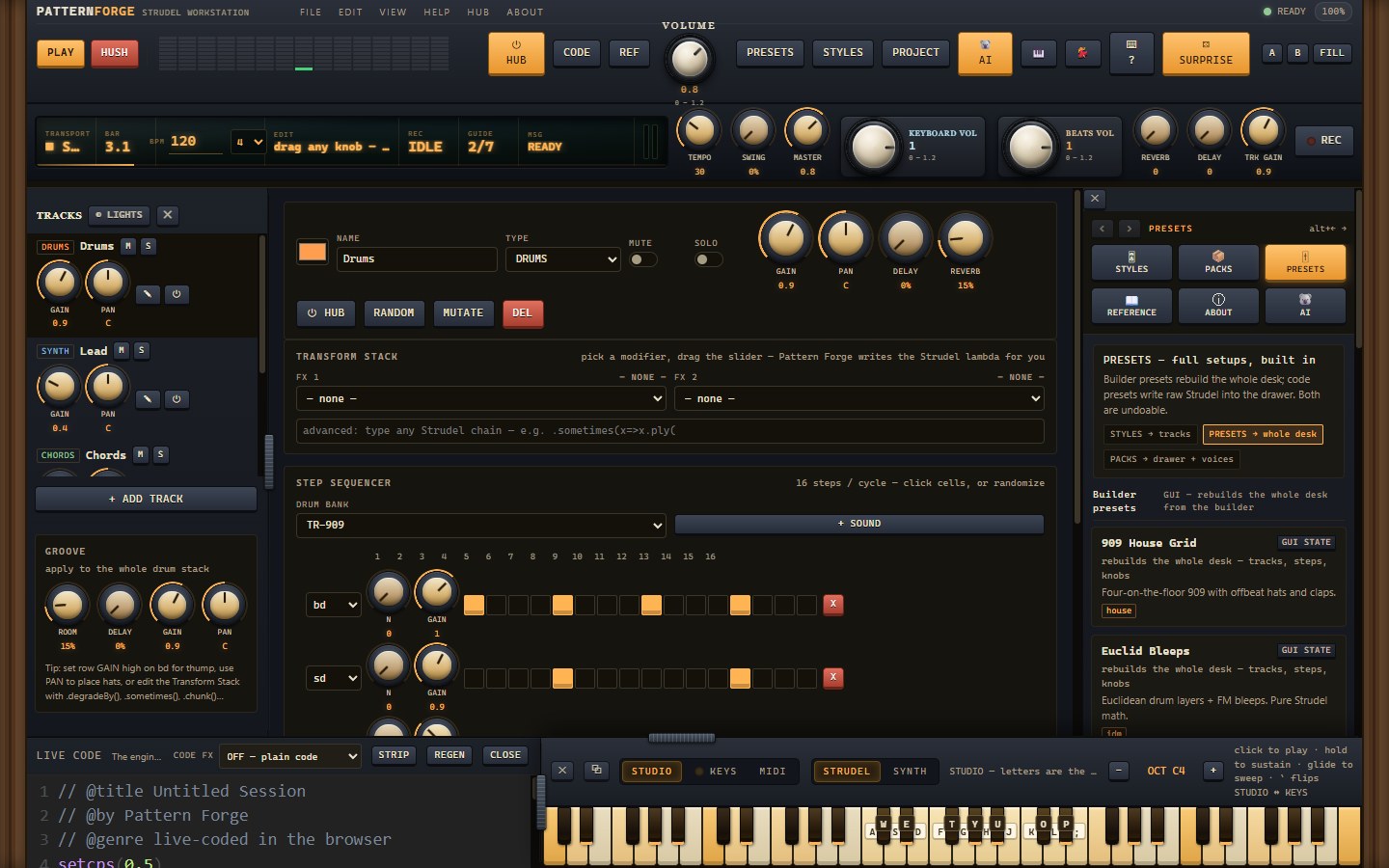
Pattern Forge
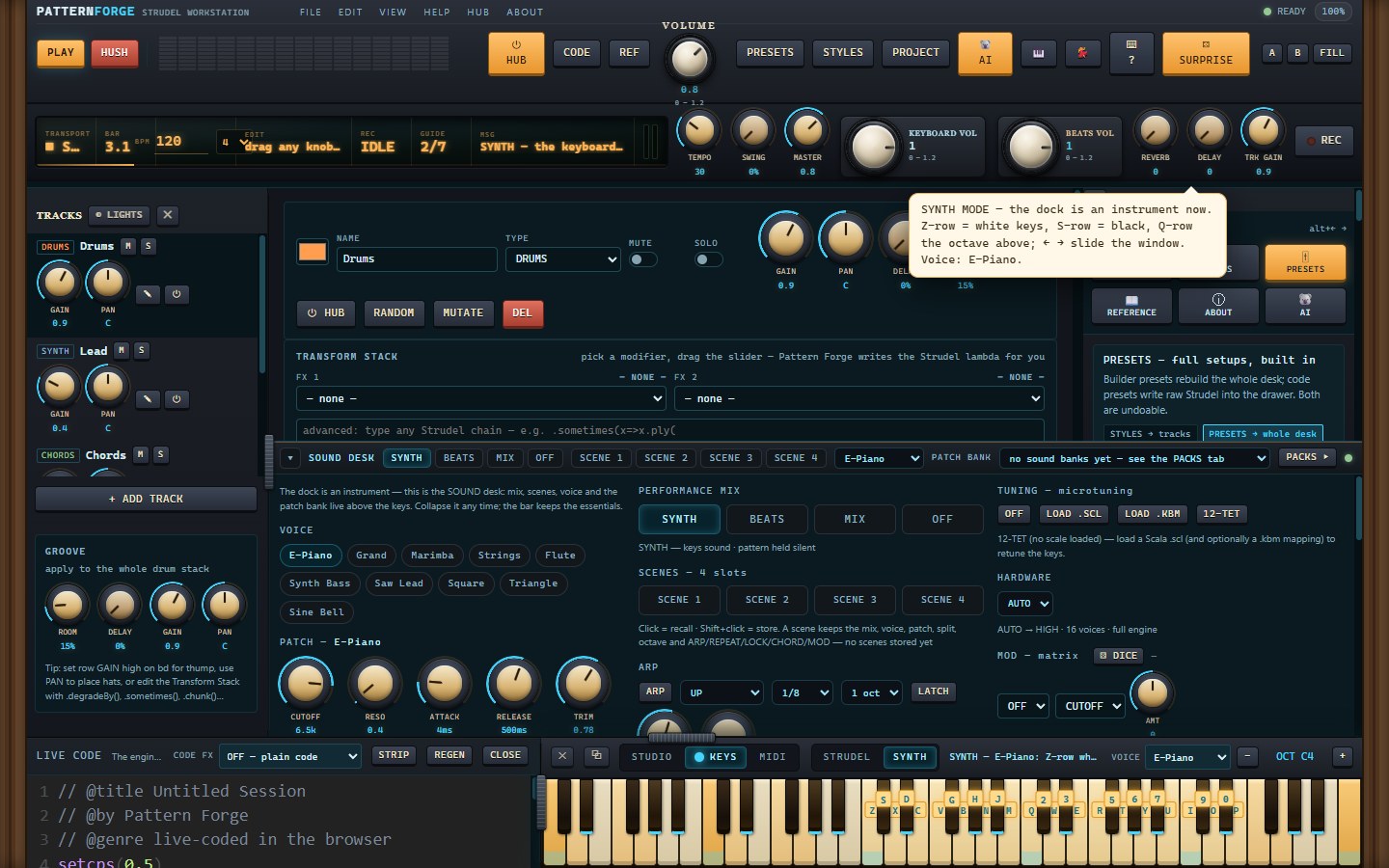
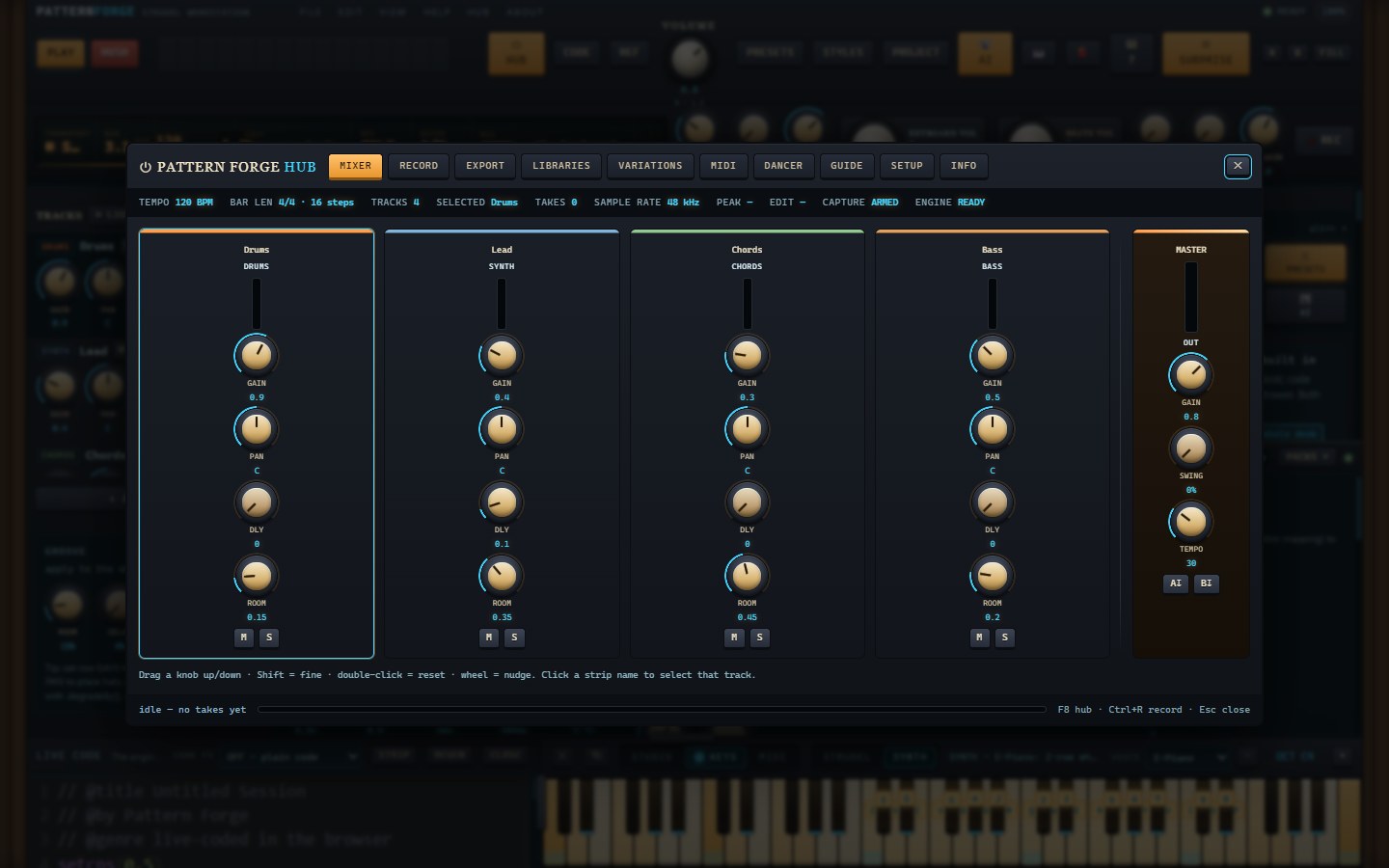
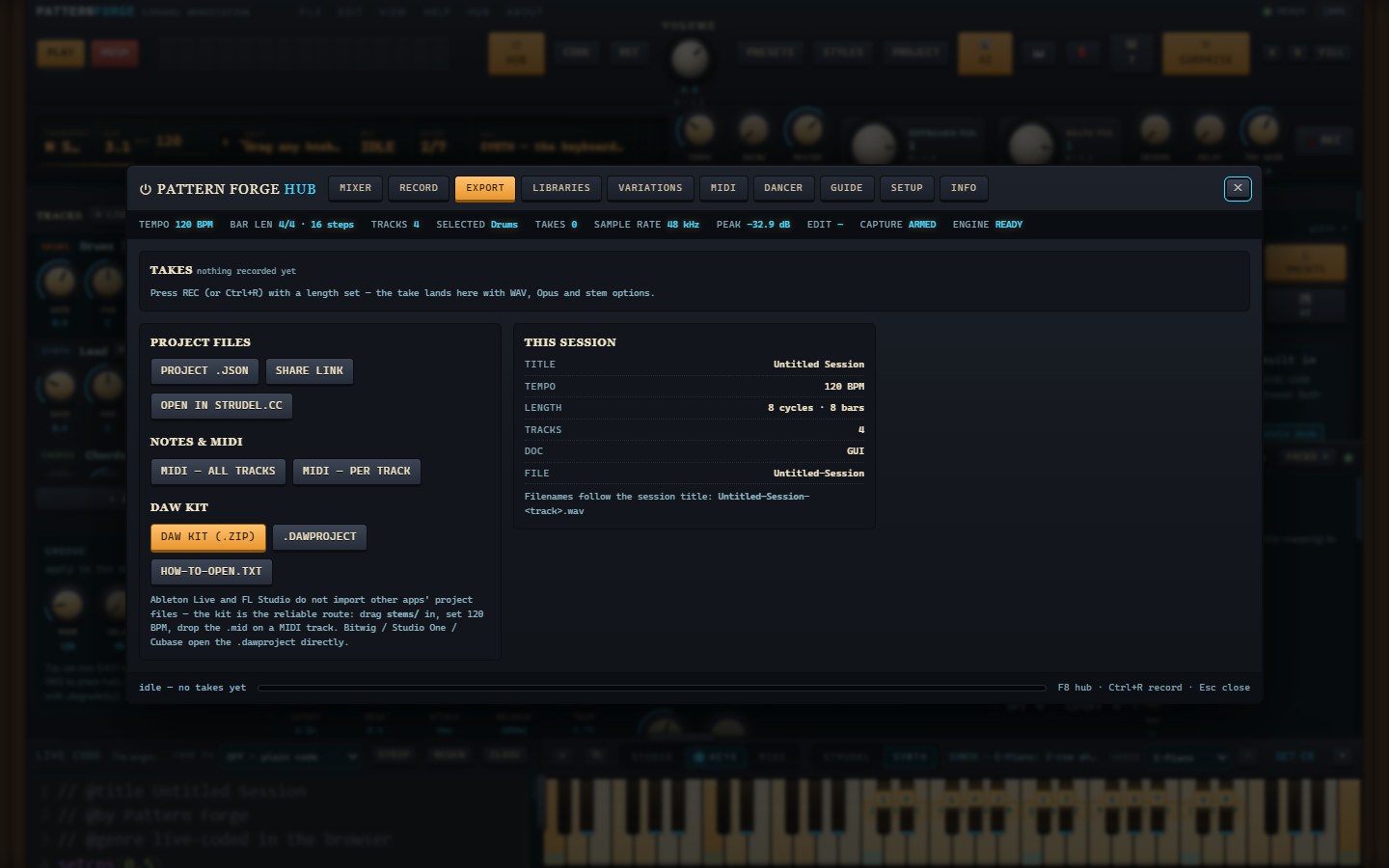
A live-coding music workstation you can actually play: Strudel patterns in the code drawer, a step sequencer, a 61-key piano dock with a real synth engine behind it (10 patchable voices, wavetables, ARP), 80 genre styles, a pack store, a mixer/recorder that exports WAV, Opus, stems, MIDI and a DAW kit, a 3D dancer that moves with the music, and Kody the koala when you want a hand. It is the same app as the one at moddys.net/forge — this is that app in its own window, by itself.
97.1 MB · the installer, zipped
- Download the .zip and right-click it → Extract All.
- Run PatternForge-Setup-1.0f.exe. It installs for your user only — no admin prompt — and adds a Start Menu entry and a desktop shortcut.
- Windows SmartScreen will say it hasn't seen this app before, because it is not code-signed yet: More info → Run anyway.
- Open Pattern Forge. Space plays, the on-screen keys play, a MIDI keyboard plays. Upgrades install straight over the top and keep your projects.
What it leaves behind: your projects, takes, installed packs and settings live in
%APPDATA%\PatternForge. The installer never touches that folder, the uninstaller
asks before deleting it and keeps it by default, so installing again picks up where you left
off. Nothing is sent anywhere.
SHA-256 — check what you downloaded
3a6f5f17de73daa7fbcac8a13dad9c5f18e8fd95ccd95e569bbef2ad34abb164
b9ff2ac905f1f60db50adc78403c638b26c651d09b3aa8845157901d8a781031
629a364eb80e4865a8141cd5af7d579a4c48429579c06e1346923c059f7787d2
certutil -hashfile "PatternForge-Setup-1.0f.exe.zip" SHA256 — the exe
inside unzips to the second hash, which is also the installer attached to the
v1.0f-beta release on GitHub. The installer carries app build e0c74355,
the same build that is live at moddys.net/forge.
Resonance Studio
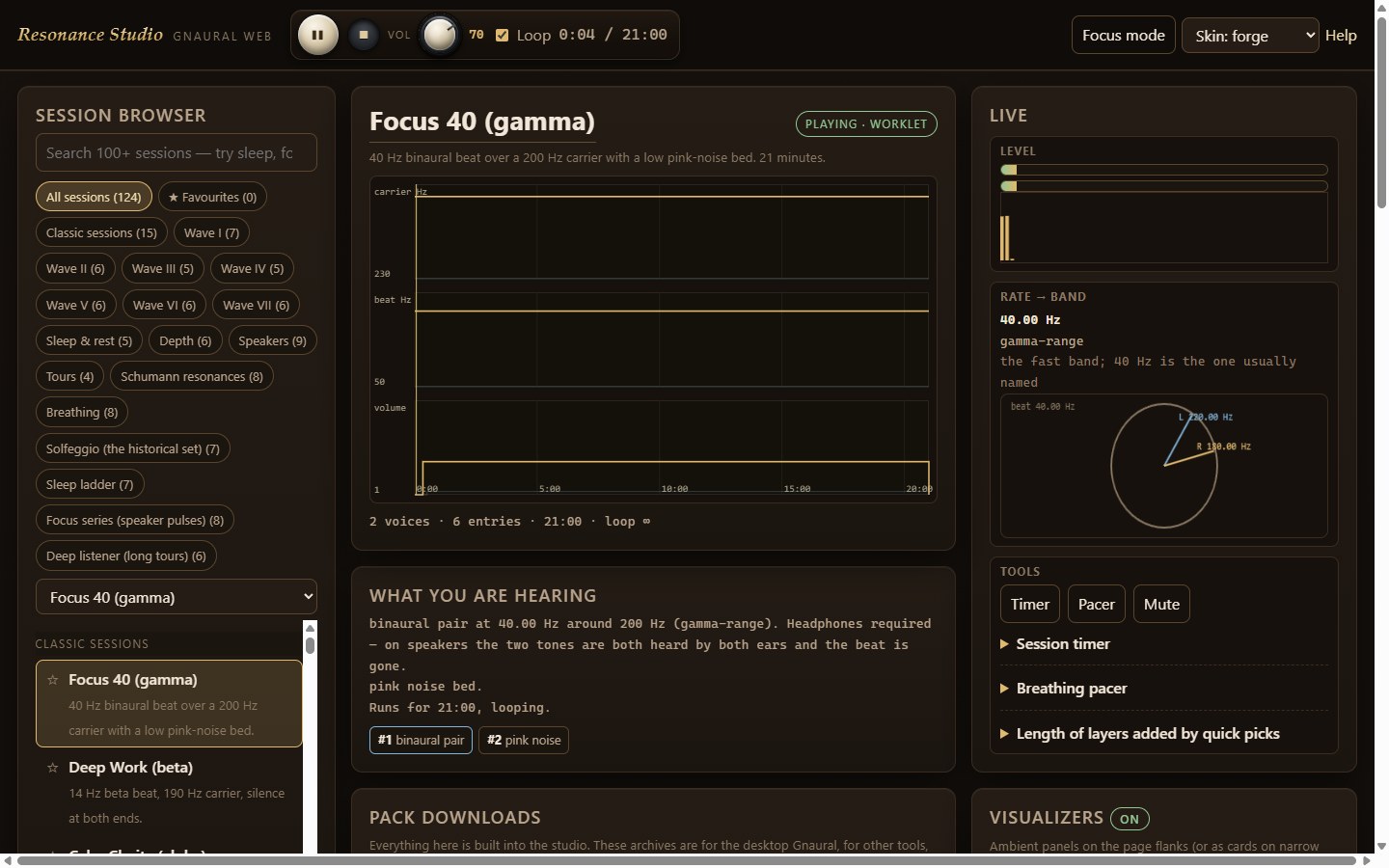
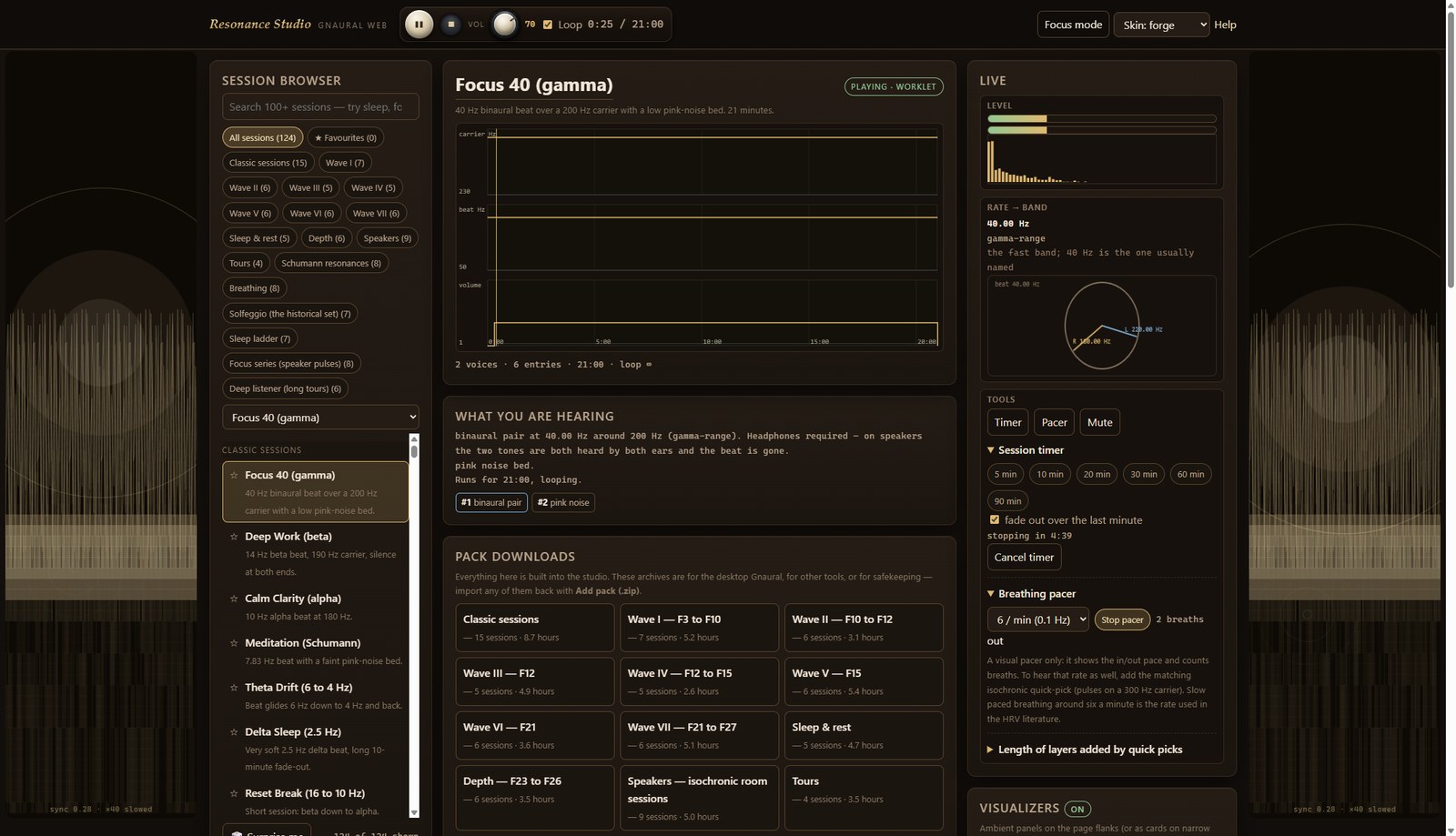
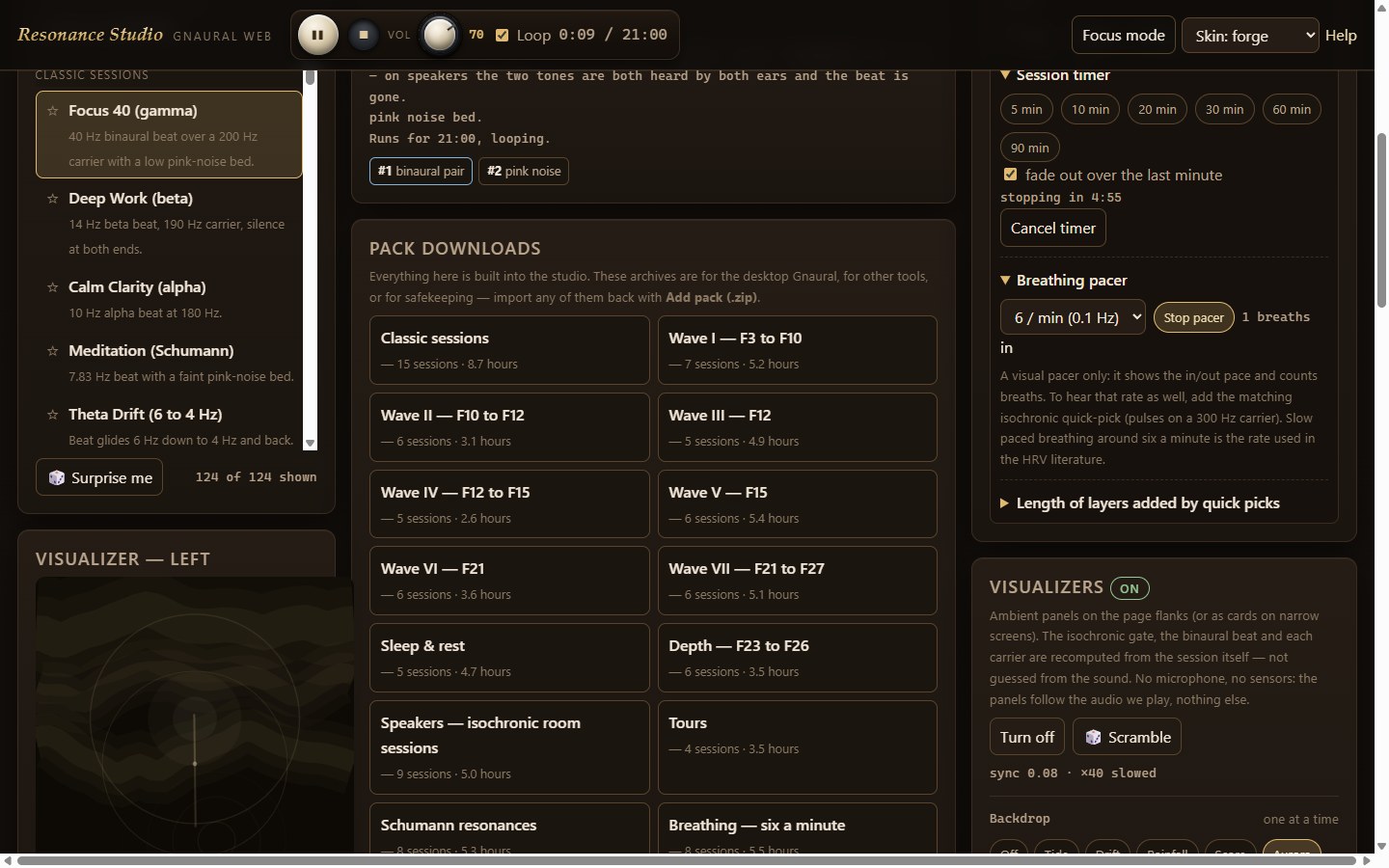
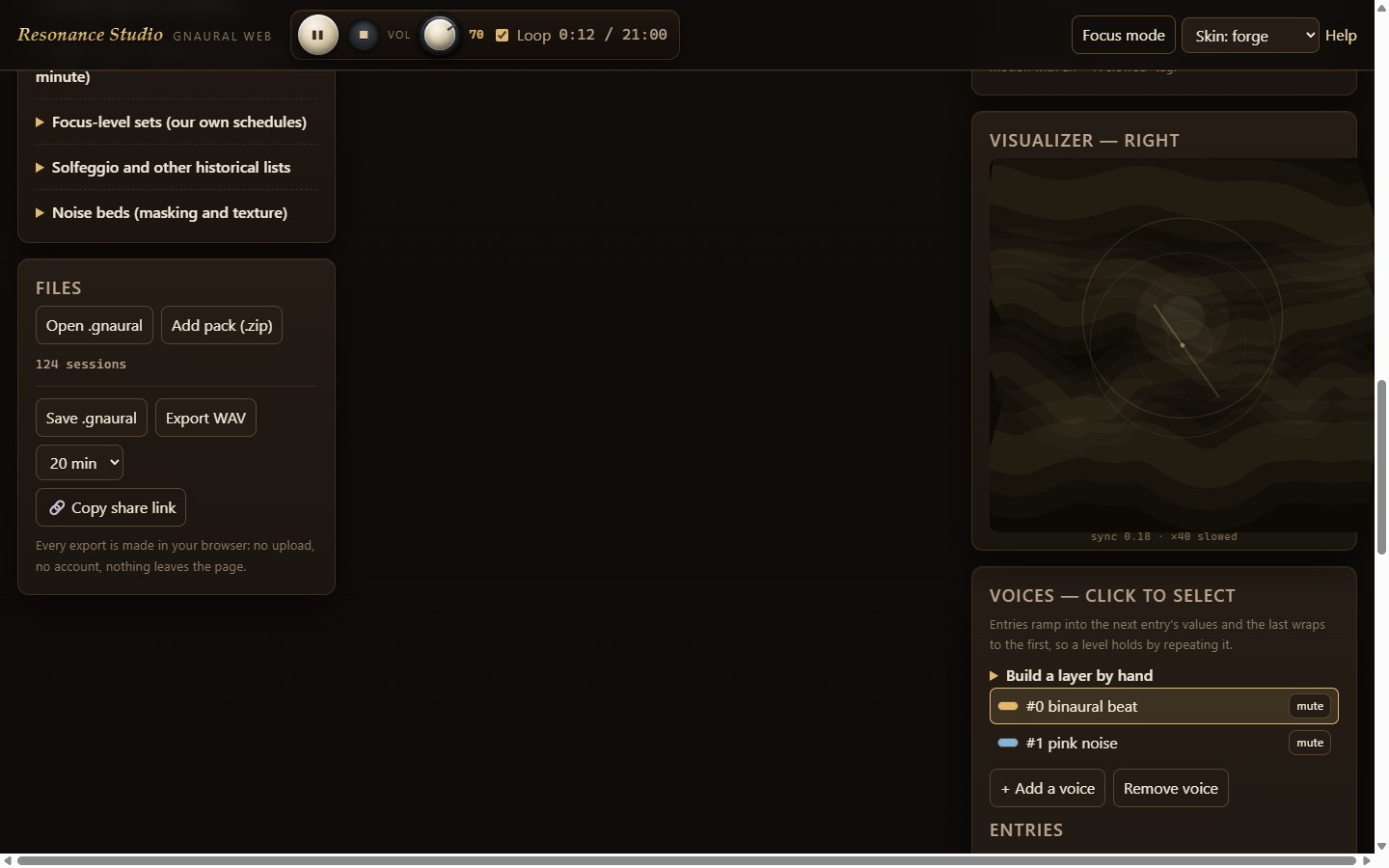
A tone, beat and noise studio for long listening: binaural pairs, monaural beats, isochronic pulses and pink / brown / white noise beds, with 124 ready sessions in 18 packs, a real schedule editor with a graph you can scrub, live meters and a phase wheel, a timer with a clean fade, a breathing pacer — and a visualizer system whose panels follow the sound itself. It is the same studio as the one at moddys.net/resonance — this is that app in its own window, by itself, with the manual and every pack inside the install.
94.6 MB · the installer, zipped
- Download the .zip and right-click it → Extract All.
- Run ResonanceStudio-Setup-1.0a.exe. It installs for your user only — no admin prompt — and adds a Start Menu entry and a desktop shortcut.
- Windows SmartScreen will say it hasn't seen this app before, because it is not code-signed yet: More info → Run anyway.
- Open Resonance Studio, pick a session and press Play. Headphones for the binaural sets; any speaker for pulses and noise. Upgrades install straight over the top and keep your favourites.
What it leaves behind: your favourites, imported packs and window layout live in
%APPDATA%\ResonanceStudio. The installer never touches that folder, the uninstaller
asks before deleting it and keeps it by default, so installing again picks up where you left off.
Nothing is sent anywhere.
SHA-256 — check what you downloaded
66e11a71257ea7cabe0ac7789aa14da8b6de485af560fd803f879913afd8c591
93310403af600c95f15dcc7a6219d64be2c32b0ee304250a91daa78322430faa
61b7704ed68a9f9c5389eb6ee8afb33ec6c57b060583f6737497cef074acb7cb
certutil -hashfile "ResonanceStudio-Setup-1.0a.exe.zip" SHA256 — the
exe inside unzips to the second hash, which is also the installer attached to the
v1.0a-beta release on GitHub. The installer carries app build 5b838c82,
the same build that is live at moddys.net/resonance.
Resonance Studio — Android
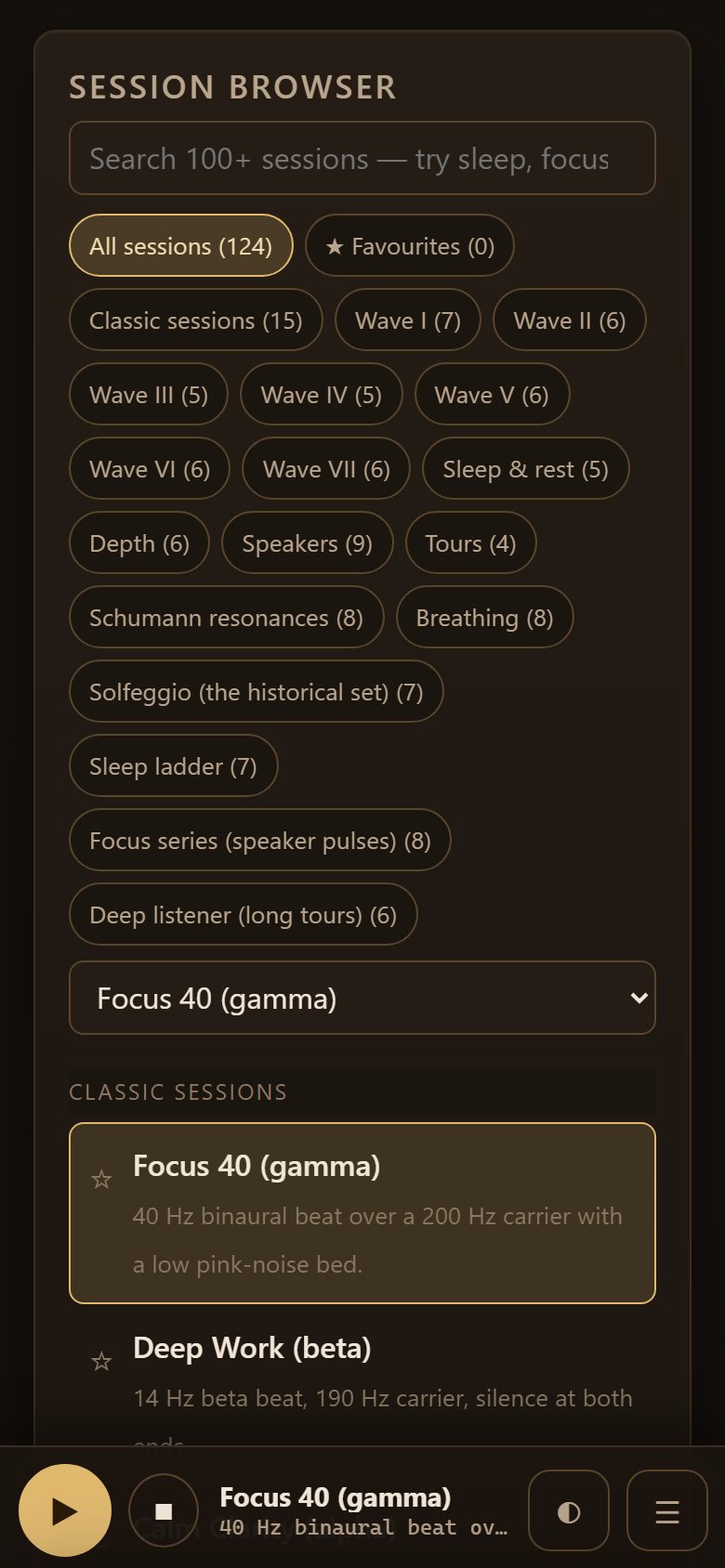
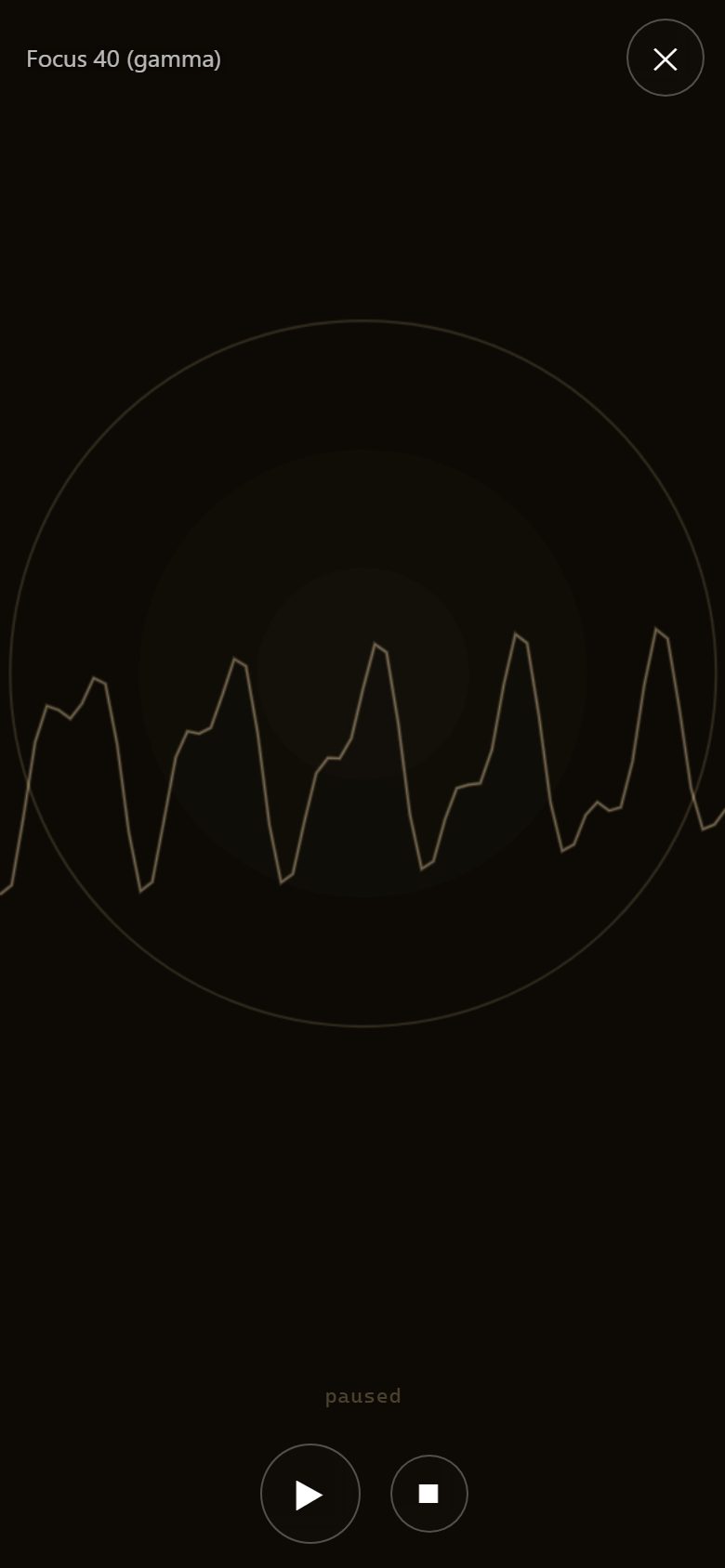
The same studio as moddys.net/resonance, reworked for a phone: a player bar that follows you everywhere, a menu that names every corner of the app, and the visualizer fullscreen with a small play/pause at the bottom. The whole engine is inside the APK — binaural pairs, monaural beats, isochronic pulses and noise beds, 124 sessions in 18 packs, the schedule editor, timer and pacer — and it runs on the device with no network at all. Sessions keep playing with the screen off (lock-screen pause/stop), and saves land in Downloads/Resonance Studio.


0.5 MB · the app, signed
- Tap Download the APK, then open the file — your browser's notification, or Files → Downloads.
- If Android asks, allow Install unknown apps for whichever app is opening it.
- Play Protect may say it hasn't seen this app before — choose Install anyway. An app from outside the Play Store always gets that warning.
- Open Resonance Studio, pick a session and press Play in the bar. Headphones for the binaural sets; any speaker for pulses and noise. From the next version on the app updates itself — tap Update now when it offers.
What it leaves behind: nothing — no analytics, no accounts, no tracking. Favourites, imported packs and settings live in the app's own storage; files you save (WAV exports, .gnaural, pack zips) go to
Downloads/Resonance Studio.
SHA-256 — check what you downloaded
6b6cbdef527961c3729dfbf2655ff0b13b2154fc3188f309ca98e3bb87488237
certutil -hashfile "resonance-studio-v1.0.0-beta.apk" SHA256 —
the same checksum the app's own Update now verifies before Android installs
anything. The identical file is attached to the v1.0.0-beta release on GitHub.
DeepSeek Usage Widget
A tiny desktop widget that watches your DeepSeek API spend so you don't have to keep checking the platform page: live balance, a budget-burn meter that goes green → cyan → orange → red as you spend, session tracking that survives restarts, two token estimates (this session and all-time), and dashboard calibration so the numbers match your platform dashboard exactly.
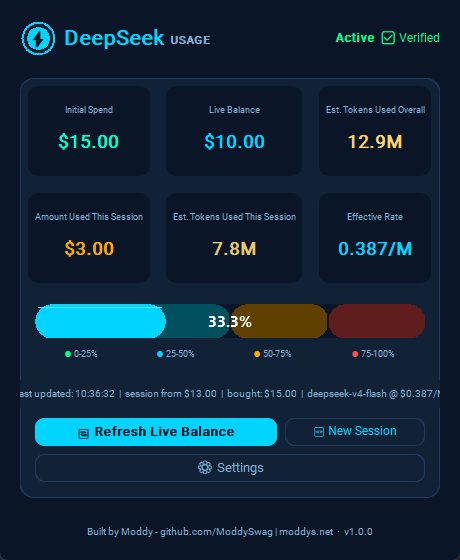

14.3 MB · standalone exe, zipped
- Download the .zip and extract it anywhere.
- Run DeepSeekUsageWidget.exe. It starts blank, ready for setup — enter your username, API key and amount bought on its Settings page, then save.
- SmartScreen says it hasn't seen this app? It's an unsigned one-file exe: More info → Run anyway. It's open source — build it yourself if you prefer.
What it leaves behind: your key and settings live in a plain-text JSON file next to the exe — keep that file private. The key is sent only to
api.deepseek.com over
HTTPS as a Bearer header: no telemetry, no analytics, no third-party calls.
SHA-256 — check what you downloaded
7233772e1eb8039cd643a20aea07841c8f2552b004e53133ad96915fdfa5dc04
certutil -hashfile "DeepSeekUsageWidgetStandalone.zip" SHA256
Hermes Dashboard Multi-Themes Edition
The LCARS reskin for the Hermes Agent web dashboard: 13 themes
(Enterprise Bridge + 12 wallpapers), a one-command installer, and an auto-heal watchdog
that puts the skin back after every hermes update — even with every Hermes process
stopped. Visual-only: it never touches your config, sessions or keys. This release also stops
the chat tab jumping when you alt-tab away and back. v1.4.4 fixes a Windows
installer crash when the console runs with the default codepage.



133.1 MB · the installer, zipped
- Download the .zip and extract it into your Hermes folder (or a new one).
- Run run.bat on Windows or run.sh on macOS / Linux. The installer applies the skin and registers the auto-heal watchdog for you.
python3 apply.py --check prints a readiness report, and
--restore / --remove return you to the stock dashboard. What it leaves behind: the skin in the dashboard's own index.html, plus one OS-level watchdog (Scheduled Task on Windows, LaunchAgent on macOS, systemd user timer on Linux). Nothing is sent anywhere.
SHA-256 — check what you downloaded
39c923a8189f9336b02294f4f0e041e88722515272c15d41dffb1d6077010b36
certutil -hashfile "lcars-installer.zip" SHA256
MODDYS World Radio — Android
47,994 radio stations, background playback, lock-screen controls, a draggable mini player, a visualiser and light mode — and you can add your own stations right from the app. No ads, no account, nothing collected.

5.4 MB · the app, signed
- Tap Download the APK, then open the file — your browser's notification, or Files → Downloads.
- If Android asks, allow Install unknown apps for whichever app is opening it.
- Play Protect may say it hasn't seen this app before — choose Install anyway. An app from outside the Play Store always gets that warning.
- Open MODDYS World Radio. Later versions install straight over this one and your favourites stay.
What it leaves behind: nothing — no analytics, no accounts, no tracking. Stations you add yourself live in the app's own storage and are never uploaded.
SHA-256 — check what you downloaded
9870de7fd80512675857a5b2bab66501402b04fd642e49f23c71cddf86e40a03
certutil -hashfile "world-radio-v1.7.0.apk" SHA256
· full install routes on this site
MODDYS World Radio — iPhone & iPad
The same app as Android: 47,994 stations, background playback, lock-screen controls, the draggable mini player, the visualiser, light mode — and add your own stations. The .ipa is unsigned by design: you sign it with your own Apple ID.
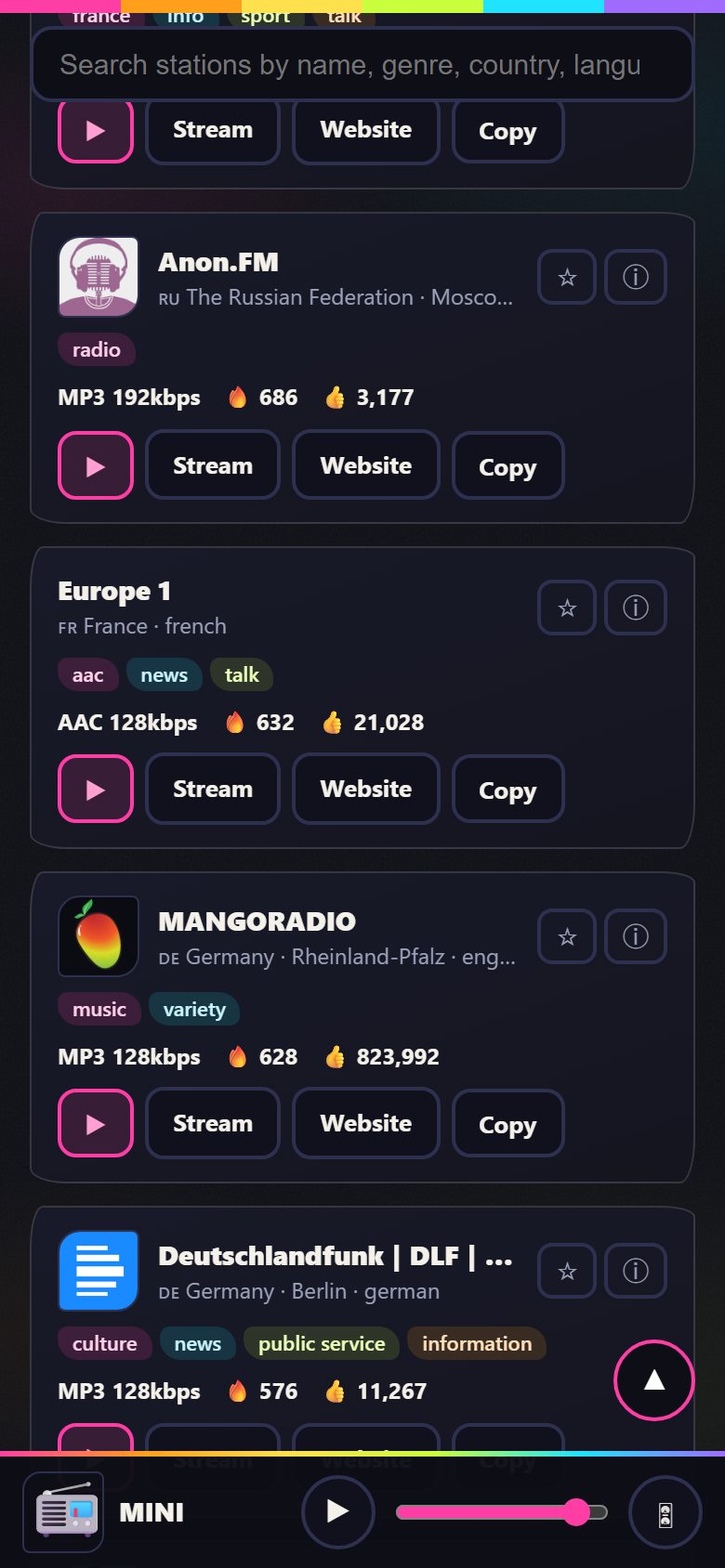
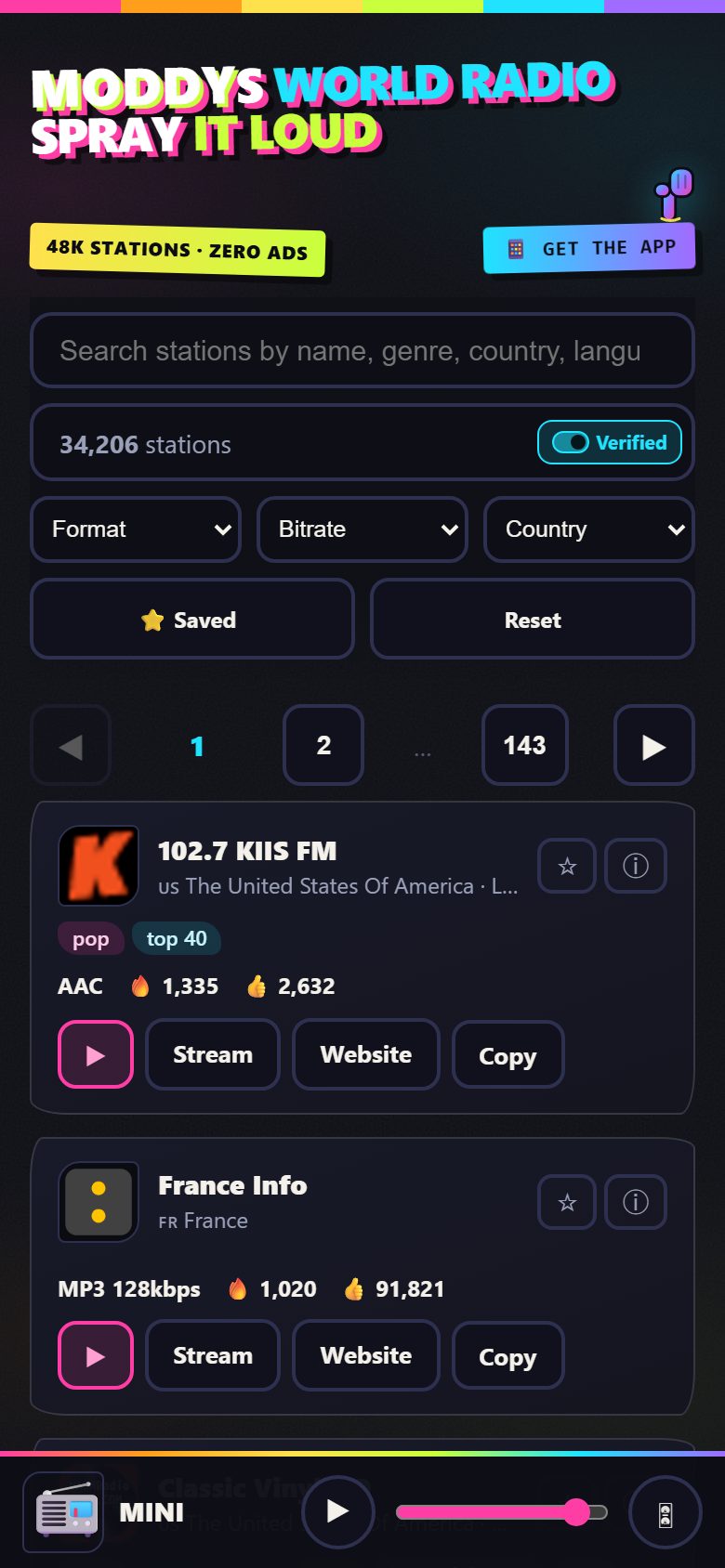
6.1 MB · the app, unsigned
- Download the .ipa and leave it in Files → Downloads.
- On a Windows PC or Mac, install Sideloadly from sideloadly.io.
- Connect the iPhone by cable, drag the .ipa into Sideloadly, type your Apple ID, press Start.
- On the iPhone: Settings → General → VPN & Device Management, trust your Apple ID, then open the app.
What it leaves behind: nothing — no analytics, no accounts, no tracking. Stations you add yourself live in the app's own storage and are never uploaded.
SHA-256 — check what you downloaded
770ec5bbd80f9c4178915e12d8f4bedc144a79f51087d8bc3e54912a35deefaf
shasum -a 256 MODDYSWorldRadio-v1.1.0-unsigned.ipa
· full install routes on this site
MODDYS SynthHub — every Behringer synth in the browser over WebUSB / WebMIDI: 71 models, sequencer, patch library, no install.
MODDYS Music Hub — a catalogue of 2,183 browser instruments, tools and sounds; the open-source ones run right there, themed.
Pattern Forge — in-browser pattern studio: step sequencer, live code, WAV/MIDI export, no install.
Resonance Studio — binaural beats, isochronic pulses and noise beds, with 124 sessions in 18 downloadable packs, in the browser.